NodeFlow Platform Components & Tools
NodeFlow Platform is a modular pipeline system for asset conversion and automation between 3D tools and backend workflows.
Download only the components you need — from DCC plugins to core integration tools.
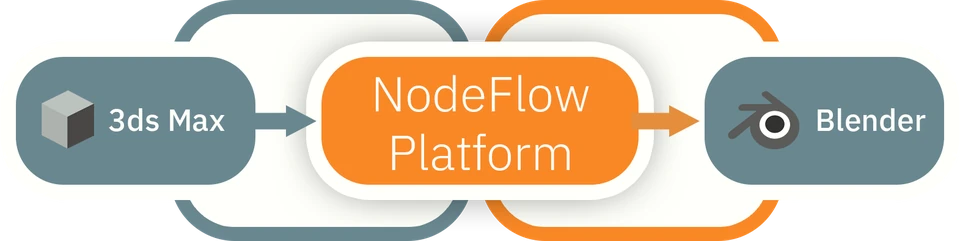
At its core, NodeFlow Platform connects 3ds Max → Server Processing → Blender / pipeline systems, enabling structured asset transformation and data exchange.
DCC Plugins
Tools that run inside your 3D applications and connect them to NodeFlow Platform pipeline.
3ds Max Plugin
Export scenes, materials, and metadata into NodeFlow Platform structured format for processing and conversion.
Supported: 3ds Max 2022-2027 (Windows)
Download PluginBlender Add-on
Import processed NodeFlow Platform data and reconstruct materials, scenes, and shader structures inside Blender.
Supported: Blender 4.x, 5.x (Windows / macOS / Linux)
Download Add-on- a 3ds Max-style object selection tool for Blender (Crossing Window Selection) with support for rendering individual frames and custom frame ranges.
Pipeline & Connectivity
Bridge tools that connect DCC applications with NodeFlow Platform processing system.
3ds Max Plugin
Handles communication between 3D applications and NodeFlow Platform server. Manages data transfer, job execution, and sync.
Sync & Processing Layer
Ensures structured asset conversion across environments with predictable output.
System Requirements
DCC Tools
- 3ds Max 2022-2027
- Blender 4.x, 5.x
OS Support
- Windows 10 / 11 (3ds Max tools)
- macOS (Blender tools)
Network
- Internet connection required for processing and sync
How NodeFlow Platform Works
- Export assets from 3ds Max using NodeFlow Platform plugin
- Data is structured and processed via NodeFlow Platform core system
- Import results into Blender or downstream pipeline tools
This creates a consistent, predictable asset workflow between different software environments.
Platform Vision
NodeFlow Platform is not just a plugin set — it is a scalable asset conversion and pipeline automation layer designed for modern production workflows.
It enables studios and developers to:
- unify cross-software asset pipelines
- reduce manual conversion work
- standardize 3D data exchange
- build custom automation layers on top of a structured system
Active Development
NodeFlow Platform is under active development.
New integrations, tools, and pipeline modules are continuously being added.
Note
Some components may require access to NodeFlow Platform server infrastructure depending on configuration.
Installation
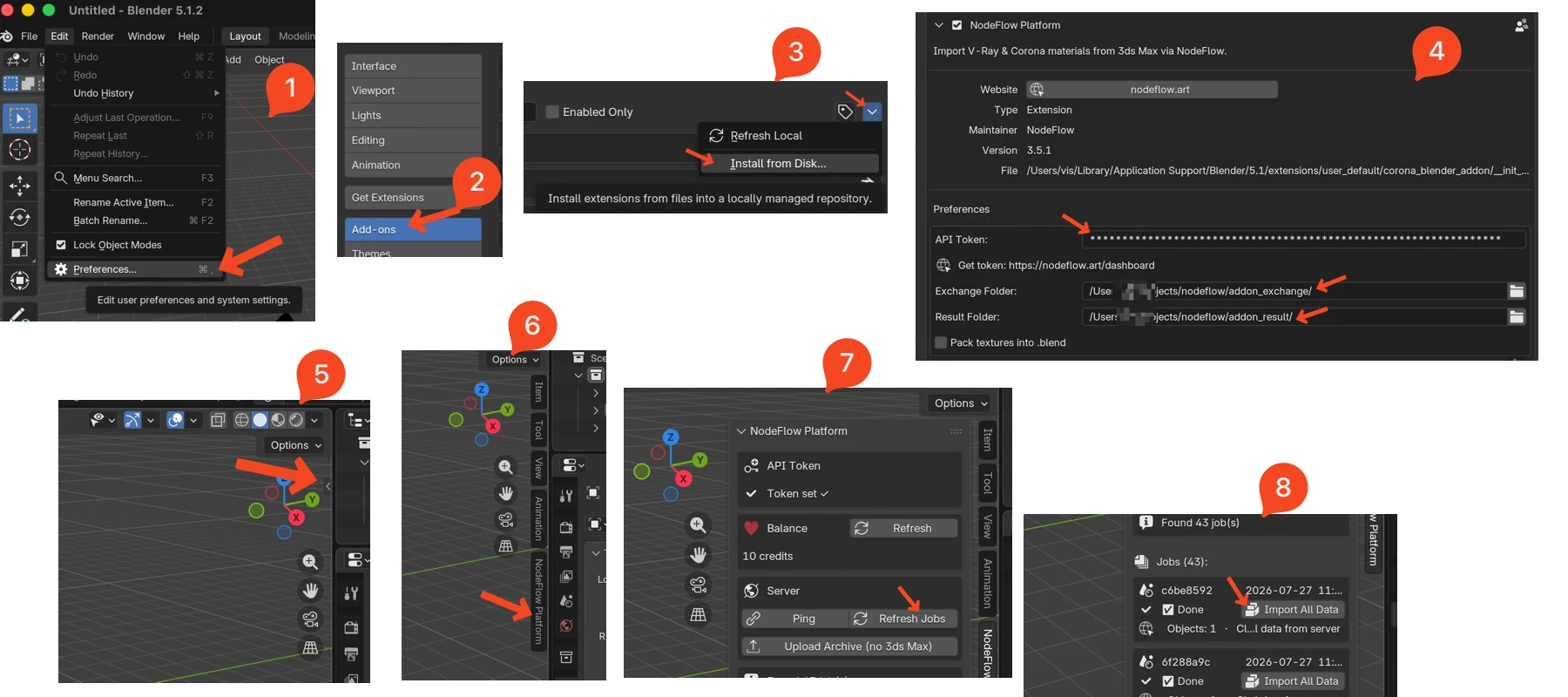
.zip)- Download the
nodeflow-blender-addonarchive from the list above. - In Blender, open
Edit → Preferences → Add-ons. - Click
Install...in the top-right and select the downloaded.zipfile. - Enable the NodeFlow add-on by checking the box next to its entry.
.dlu)- Download the
nodeflow-3dsmax-plugin.dlufile from the list above. - Copy the
.dlufile into your 3ds Max plugins directory (typicallyPluginsinside the 3ds Max install folder). - Restart 3ds Max, NodeFlow Platform plugin will be in Utilites bar.